Scanning a large drawing or painting without stitching can save time, but the right machine depends on more than paper size. A flatbed that suits detailed prints may be a poor fit for a long architectural drawing.
These 10 options span A3-class flatbeds and wider scanners. Use the guide below to narrow your choice by artwork size, surface, image quality, and the way you work.
Best 10 Large Format Scanners for Artwork Picks for 2026
Easy A3 Workflow

- 11.7 x 17-inch scan area
- No-warm-up LED and one-touch buttons
- 48-bit color mode; OCR software included
Best For: Routine A3 artwork and document scanning
Fast Flat Artwork Scans

- 12 x 17-inch A3 scan area
- Four-second A3 color scans at 200 dpi
- 2400-dpi full A3 requires macOS ICA
Best For: Quick, repeated scans of flat drawings and prints
Flexible Oversize Originals
- 12 x 17-inch CCD flatbed
- Handles maps, drawings, and bound books
- Multi-image scanning and OCR tools
Best For: Mixed-format artwork and oversized paper originals
Graphic Arts Detail

- Up to 12.2 x 17.2-inch scan area
- 2400 x 4800 dpi optical resolution
- Listed support targets older operating systems
Best For: Large graphic-arts originals with compatible computers
Best for 36-Inch Paper
Colortrac SmartLF 36-Inch Scanner
- 36-inch-wide paper scanning
- 600 dpi CIS; 24-bit color
- Ethernet connection
Best For: Wide artwork on paper
Best for Detailed Flatbed Scans

- 12.2 x 17.2-inch reflective area
- 2400 x 4800 dpi; 48-bit color
- SilverFast Ai included
Best For: Detailed flatbed scans of artwork and photos
Best for 24-Inch Scanning
Colortrac SmartLF Scan! 24-Inch Scanner
- 24-inch-wide scanning
- 3 ips color; 4.5 ips grayscale
- Ethernet and USB connections
Best For: Scanning originals within a 24-inch width
Best for Detailed Artwork

- Scans originals up to 12.2 × 17.2 inches
- 2400 × 4800 dpi CCD scanning
- Batch scanning and color restoration
Best For: Studios digitizing detailed, large flat artwork
Best for Fast A3 Scans
- Scans flat originals up to 11.98 × 16.8 inches
- 8-second A3 color scans at 200 dpi
- Auto-Scan starts when the lid closes
Best For: Fast scanning of flat artwork and documents
Best for Legacy Workflows

- 12.2 × 17.2-inch scan area
- 2400 × 4800 optical resolution
- USB 2.0 and FireWire listed
Best For: Graphic-arts setups needing a large flatbed and listed legacy connections
Easy A3 Workflow – Plustek OS1180
Among large format scanners for artwork, the Plustek OS1180 is a practical option for flat pieces up to 11.7 x 17 inches. Its LED light needs no warm-up, and preset one-touch buttons help streamline repeat scans.
Best For: Schools, libraries, and small offices digitizing A3 graphics alongside documents.
Pros:
- A3 flatbed accommodates artwork and tabloid-size paper.
- 48-bit color scan mode offers flexibility for color originals.
- Includes ABBYY OCR and DocAction file-sharing software.
Cons:
- The 11.7-inch scan width will not fit a full 12-inch-wide original in one pass.
- USB 2.0 connection requires a nearby computer.
Choose this model if easy A3 capture and document software matter more than fitting artwork wider than 11.7 inches.
For buyers comparing large format scanners for artwork, the VIISAN VF3240 pairs a 12 x 17-inch A3 scan area with a frameless design suited to flat originals. Its advertised four-second A3 color scan applies at 200 dpi; higher-resolution scans take longer.
Best For: Frequent scanning of flat drawings, prints, and large documents when quick low-resolution capture is useful.
Pros:
- Up to 2400 x 2400 dpi optical resolution and 48-bit color output.
- Frameless glass helps with edge-to-edge placement.
- Auto-scan can start when the lid closes; LED lighting needs no warm-up.
Cons:
- Full-A3 scans at 2400 dpi require macOS native ICA support; ViiScan on Windows reaches 1200 dpi at A3 size.
- Its CIS sensor is intended for flat materials, not three-dimensional artwork.
The VF3240 is compelling for flat-paper throughput, but check your operating system and intended resolution before relying on its headline specifications.
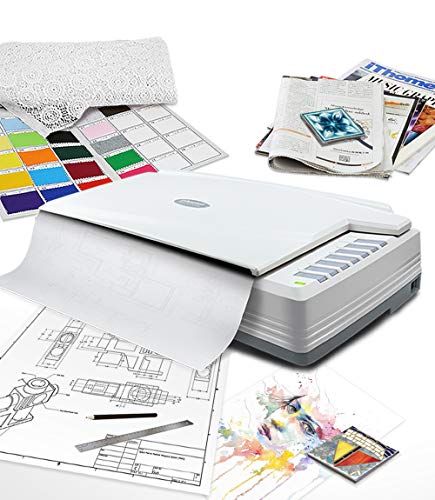
The Plustek OpticPro A320E stands out among large format scanners for artwork when originals include drawings, maps, or unusually shaped pieces. Its 12 x 17-inch flatbed also accommodates A3 pages and large bound books.
Best For: Scanning mixed-format paper artwork and oversized documents with flexible file-saving options.
Pros:
- 12 x 17-inch scan area accepts wider originals than an 11.7-inch A3 bed.
- Can scan multiple printed images at once and save multiple PDF files.
- Doc Action offers scan destinations and OCR for searchable PDFs.
Cons:
- The 24.53-inch-wide, 5.51-inch-tall body needs substantial desk space.
- Linux/SANE driver availability should be confirmed with the seller before purchase.
This is a useful choice when the ability to place varied, oversize originals on a flatbed matters as much as organizing the resulting files.
Epson Expression 11000XL Graphic Arts Scanner, Scan Up to 12.2 x 17.2, 2400 dpi Optical Resolution
Check Price On AmazonThe Epson Expression 11000XL is a graphic-arts-focused choice among large format scanners for artwork, with a scan area up to 12.2 x 17.2 inches. Its MatrixCCD sensor and stated 2400 x 4800 dpi optical resolution make it worth considering for detailed flat originals.
Best For: Buyers scanning large graphic-arts originals who can accommodate the listed legacy operating-system support.
Pros:
- 12.2 x 17.2-inch scan area exceeds standard A3 dimensions.
- 2400 x 4800 dpi optical resolution with Micro Step Drive technology.
- CCD sensor and 48-bit color depth are listed in the specifications.
Cons:
- Listed compatibility covers older Windows releases and Mac OS X 10.5.x–10.8.x; confirm support for your current system.
- At approximately 14.5 kg, it is comparatively heavy to move.
Its generous bed and resolution are the main attractions, but verify software and driver compatibility before buying for a modern workstation.
Best for 36-Inch Paper – Colortrac SmartLF 36-Inch Scanner
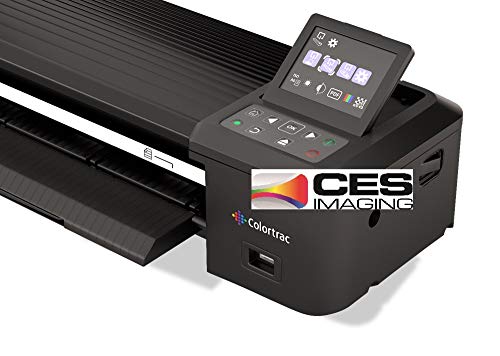
For buyers comparing large format scanners for artwork on paper, the Colortrac SmartLF offers a 36-inch-wide scanning format. Its 600 dpi CIS sensor, LED light source, and 24-bit color capture make it a document-oriented option for wide originals.
Best For: Scanning artwork on paper that calls for a 36-inch-wide scanner.
Pros:
- 36-inch-wide format accommodates wide paper originals.
- Captures 24-bit color at 600 dpi.
- Ethernet connectivity supports a wired network setup.
Cons:
- Specified for paper media, not transparencies.
- Listed minimum system requirements specify Windows 7; check compatibility with your current system.
Choose this model when scan width is the priority, while confirming that its paper handling and system requirements suit your workflow.
Best for Detailed Flatbed Scans – Epson Expression 13000XL
Among large format scanners for artwork, the Epson Expression 13000XL is a flatbed choice for reflective originals up to 12.2 x 17.2 inches. Its 2400 x 4800 dpi resolution, 48-bit color depth, and CCD sensor suit buyers who prioritize detail and color capture over extra-wide scan width.
Best For: Detailed scans of artwork and photos that fit within the 12.2 x 17.2-inch reflective-media area.
Pros:
- 2400 x 4800 dpi resolution and 48-bit color depth.
- Can batch-scan multiple images to a PC or Mac.
- Includes SilverFast Ai software with calibration targets and a TWAIN driver.
- Optional transparency unit supports film up to 12 x 16.5 inches.
Cons:
- Reflective originals are limited to 12.2 x 17.2 inches.
- Transparency scanning requires a separately sold unit.
This is the stronger fit when flatbed handling, image detail, and included imaging software matter more than scanning a single oversized sheet.
Best for 24-Inch Scanning – Colortrac SmartLF Scan! 24-Inch Scanner
If your search for large format scanners for artwork centers on a 24-inch-wide unit, the Colortrac SmartLF Scan! offers 600 dpi CIS scanning with 24-bit color. Its listed speeds are 4.5 inches per second in grayscale and 3 inches per second in full color.
Best For: Buyers seeking a 24-inch-wide scanner with stated grayscale and color scan speeds.
Pros:
- 24-inch-wide format for larger originals.
- Listed scan speeds of 4.5 ips grayscale and 3 ips full color.
- Offers both Ethernet and USB connections.
Cons:
- Its 24-inch width is narrower than a 36-inch-wide scanner.
- Listed minimum system requirements specify Windows 7; verify support for your setup.
Consider this model if 24 inches covers your originals and having both USB and Ethernet connection options is useful.
Best for Detailed Artwork – Epson Expression 12000XL-GA
Among large format scanners for artwork, the Epson Expression 12000XL-GA is a professional flatbed for originals up to 12.2 × 17.2 inches. Its CCD sensor, 2400 × 4800 dpi resolution, and 48-bit color depth make it a strong choice when capturing fine detail matters.
Best For: Artists and studios digitizing large, flat originals with an emphasis on detail and color.
Pros:
- Accommodates reflective artwork up to 12.2 × 17.2 inches.
- 2400 × 4800 dpi resolution and 3.8 Dmax support detailed scans.
- Can batch-scan multiple printed images and save them to a PC or Mac.
Cons:
- At 31.5 pounds and 25.8 inches wide, it needs dedicated space.
- Its listed connection type is USB.
Choose this model when image capture is the priority and you have room for a substantial desktop scanner. Its batch-scanning and color-restoration features also help with mixed artwork and photo archives.
Best for Fast A3 Scans – VIISAN VF3120
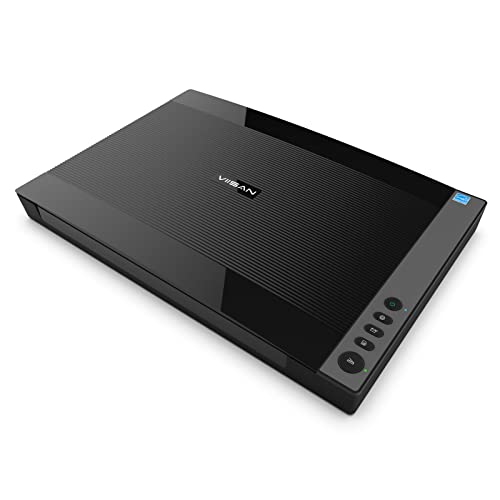
The VIISAN VF3120 is a practical option among large format scanners for artwork when you need to digitize flat A3-size pieces quickly. It supports originals up to 11.98 × 16.8 inches, with a stated 8-second scan time for A3 color at 200 dpi.
Best For: Schools, small offices, and artists scanning flat artwork, drawings, or book pages in batches.
Pros:
- 1200 × 1200 dpi maximum optical resolution and 48-bit color depth.
- Auto-Scan can start a scan when the lid closes.
- Frameless design helps accommodate books and other thick items.
Cons:
- The CIS sensor requires flat paper images for clear results; it is not suited to three-dimensional items.
- WIA scanning is limited to 600 dpi; 1200 dpi requires the supplied ViiScan software.
This model favors a quick, repeatable workflow over scanning textured or raised artwork. Check your chosen software before buying if full-size A3 scans at 1200 dpi are essential.
Best for Legacy Workflows – Epson Expression 10000XL
The Epson Expression 10000XL remains a wide-format choice among large format scanners for artwork, with an A3-size surface for originals up to 12.2 × 17.2 inches. Its CCD sensor, 2400 × 4800 optical resolution, and 48-bit color depth suit detailed graphic-arts scanning.
Best For: Graphic-arts workspaces that need a large flatbed and can accommodate its listed connectivity options.
Pros:
- Scans originals up to 12.2 × 17.2 inches.
- 2400 × 4800 optical resolution and 3.8 Dmax.
- Lists USB 2.0, FireWire, and optional networking.
Cons:
- At 43.4 pounds, it is the heaviest scanner in this roundup.
- Its CCFL light source differs from the LED light sources listed for the other two models.
The 10000XL is worth considering when its scan area and specified connections fit your setup. Allow for its weight and confirm that the connection you intend to use works with your computer.
How We Picked the Best Large Format Scanners for Artwork
We grouped these Large Format Scanners for Artwork by scanning style and intended workflow rather than treating every model as interchangeable. The selection includes A3-class flatbeds for sheets and bound material, graphic-arts flatbeds aimed at detailed originals, and 24- and 36-inch wide-format scanners for larger work. Because the listed products span different generations and price tiers, check current availability, operating-system support, and included software before buying.
Quick Comparison: Flatbed or Wide-Format?
A3-class flatbeds are the practical starting point for drawings, prints, and photos that fit on the glass. They keep the original stationary during capture, which is helpful for delicate or textured pieces. Confirm the usable scan area: “A3” does not guarantee that every sheet or border will fit.
Graphic-arts flatbeds, such as the Epson Expression models in this roundup, are worth considering when tonal detail and color reproduction matter more than a compact footprint or low purchase price. Compare their actual scan areas and software support, not just their advertised resolution.
24- and 36-inch feed scanners make more sense for oversized drawings, plans, and long sheets. They need a clear feed path and are generally best for originals that can safely pass through rollers. Check both supported media width and maximum image width.
Key Buying Factors for Large Format Scanners for Artwork
Original Size and Handling
Measure the artwork, including any margin you want to preserve. If a piece exceeds the scan area, you will need to stitch multiple captures or choose a wider device. For fragile, heavily textured, mounted, or thick originals, favor a flatbed and verify lid clearance; do not assume a feed scanner can handle them safely.
Detail, Color, and Software
Prioritize optical resolution over interpolated DPI. The resolution you need depends on the original’s size and the final print or display size; higher settings also create larger files and slower workflows. For color-critical reproduction, look into color profiles, calibration options, bit depth, and how much control the driver gives you over exposure and color adjustments. Confirm that the scanner works with your current computer and preferred editing software.
Speed and Workspace
Headline scan times may use low-resolution settings and omit preview, processing, or saving. If you scan in batches, consider setup time and file-handling features alongside capture speed. Measure desk space for a flatbed or floor space and front-to-back clearance for a wide-format scanner.
Who Should Buy Which Large Format Scanners for Artwork?
Choose an A3 flatbed for occasional illustration, print, or document scanning when the original fits. Step up to a graphic-arts flatbed if faithful reproduction of photographs or fine art is the priority. Choose a 24-inch feed scanner for frequent large drawings that are safe to roll through a machine; consider 36 inches when your work regularly exceeds that width. If you have only a few oversized or irreplaceable pieces, a professional scanning service may be more practical than owning the equipment.